Finalizer
Apply your company's color, visibility, and naming standards to any Part, Product, or Drawing with one click, right before you save it.
“Ready to release” usually means a last manual pass, hide the construction geometry, fix the body colors, rename the instances, lock the views, again. Finalizer turns that pass into one click: point it at a Part, Product, or Drawing and it applies every company standard your team agreed on, instantly, the same way every time.
What it does
- Cleans up visibility, axis systems, origin planes, constraints, geometrical sets, sketches, view frames, and cameras are shown or hidden exactly per your configuration.
- Enforces color standards, checks Bodies and Product instances against a shared Color Rules file and flags anything outside the allowed palette, so nothing ships in the wrong color by accident.
- Standardizes naming, renames the final Body using your Part Number scheme, and renumbers Product instances so duplicates never collide.
- Cleans up Drawings, updates view names, locks views, refreshes scale text, and restyles tolerances, datum features, and callouts across every unlocked view.
- Catches what’s missing, flags Parts with no applied Material and Products with broken constraints, offering to delete the invalid ones on the spot.
- Extends further at Enterprise level, runs a fully custom macro of your own after every finalization pass, for standards no generic setting can cover.
How it works
Configure your company’s standard once, then forget it exists. From that point on, finalizing a file is a single click from the CommandBar, Finalizer reads the active Part, Product, or Drawing, applies every rule your team agreed on, and only speaks up if something genuinely needs a human call, like an unresolved Main Body or a constraint worth deleting.
Screenshots
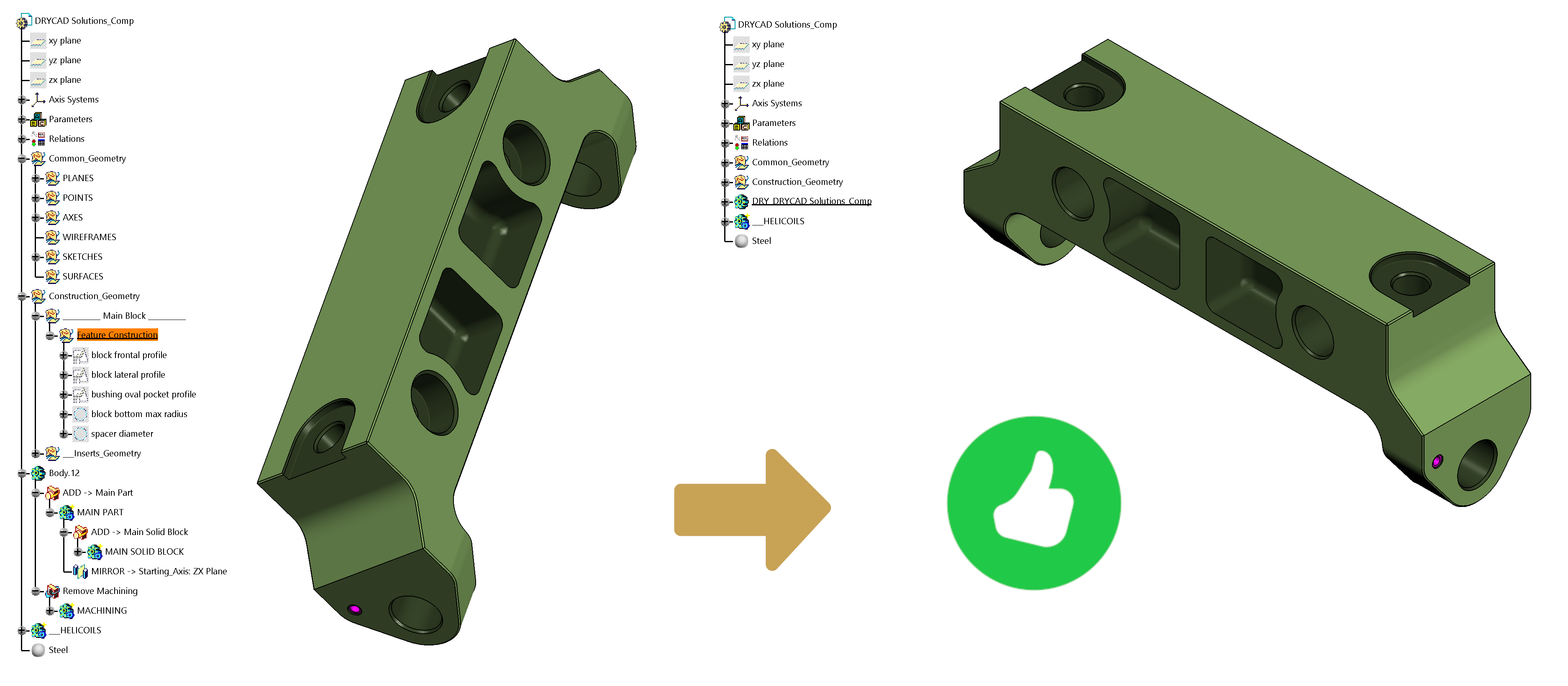
Where it fits
Included in DRYCAD SUITE Professional, with an Enterprise tier that unlocks the custom end-of-run macro hook. Build the file the standard way, work in it, then let Finalizer confirm everything still matches that standard before it goes out the door.
Full documentation
Get Started
Design better, every day.
Reduce errors, automate repetitive tasks, and free up time to innovate. Contact us for a pilot test on your real project.