VBA Backup Manager
Esegue il backup, il versionamento e la promozione dei progetti VBA tra gli ambienti DEV, TEST e PROD, con push integrato su Git e Azure DevOps.
Every VBA project eventually ends up scattered across desktop copies, email attachments, and “final_v3” folders, until someone opens the wrong version in production. VBA Backup Manager keeps every project versioned, environment-aware, and one click away from a clean rollback.
What it does
- Backs up any VBA project on demand, save the full content or just a selected piece, with a comment attached so you know why each backup exists.
- Keeps DEV, TEST, and PROD in sync, compare versions across environments at a glance and promote a project forward only when it’s ready.
- Loads content from anywhere, pull components back in from a previous backup or straight from an external file, without hunting for the right copy.
- Tracks references automatically, see which VBA references each project depends on, and catch missing ones before they cause a runtime surprise.
- Pushes straight to Git, send an official DEV, TEST, or PROD release to your Git or Azure DevOps repository without leaving the tool.
How it works
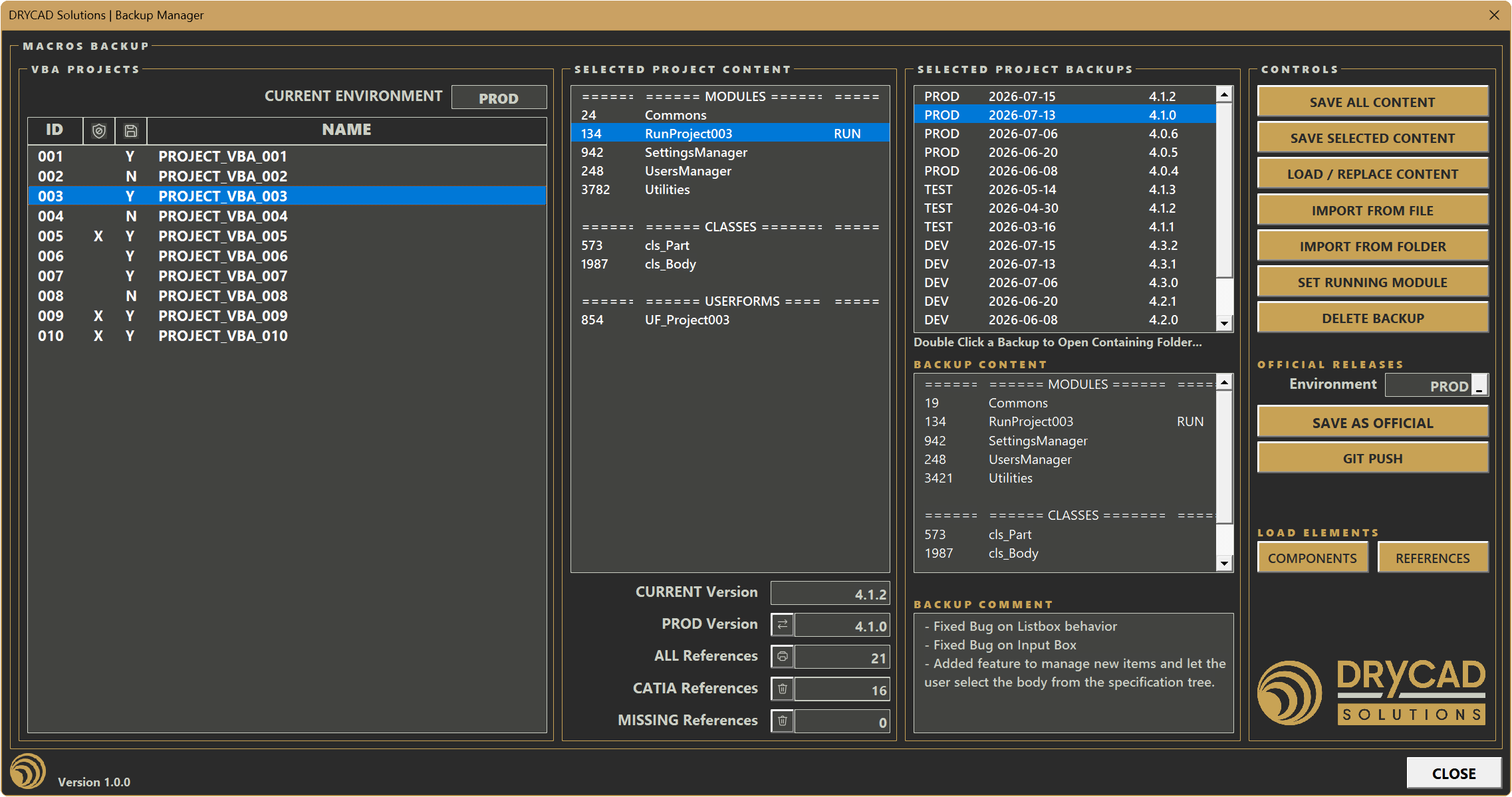
Pick a project from your list of available VBA projects, and its content, backups, and reference status load side by side. Save a new backup, load one back in, or promote it as the official release for an environment, each action is logged with a version number and a comment, so the history stays readable months later.
Screenshots
Where it fits
Built for anyone maintaining VBA automation across more than one environment, a solo developer who needs a safety net before overwriting a live macro, or a team that needs a shared, auditable way to promote changes from development through to production. If VBA projects are part of your daily toolchain, this is the layer that keeps them recoverable and traceable.
Full documentation
Get Started
Design better, every day.
Reduce errors, automate repetitive tasks, and free up time to innovate. Contact us for a pilot test on your real project.