Import / Export Points
Move XYZ point coordinates in and out of your Part in one pass, to and from Excel or CSV, with names and reference axis systems intact.
Point clouds don’t belong trapped in one file format. Import / Export Points moves XYZ coordinates between your Part and a spreadsheet or CSV file in either direction, keeping names, precision, and reference geometry consistent along the way, no manual retyping, no copy-paste errors creeping into the third decimal place.
What it does
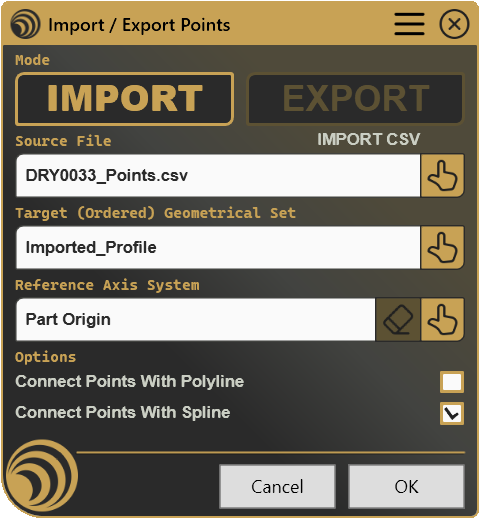
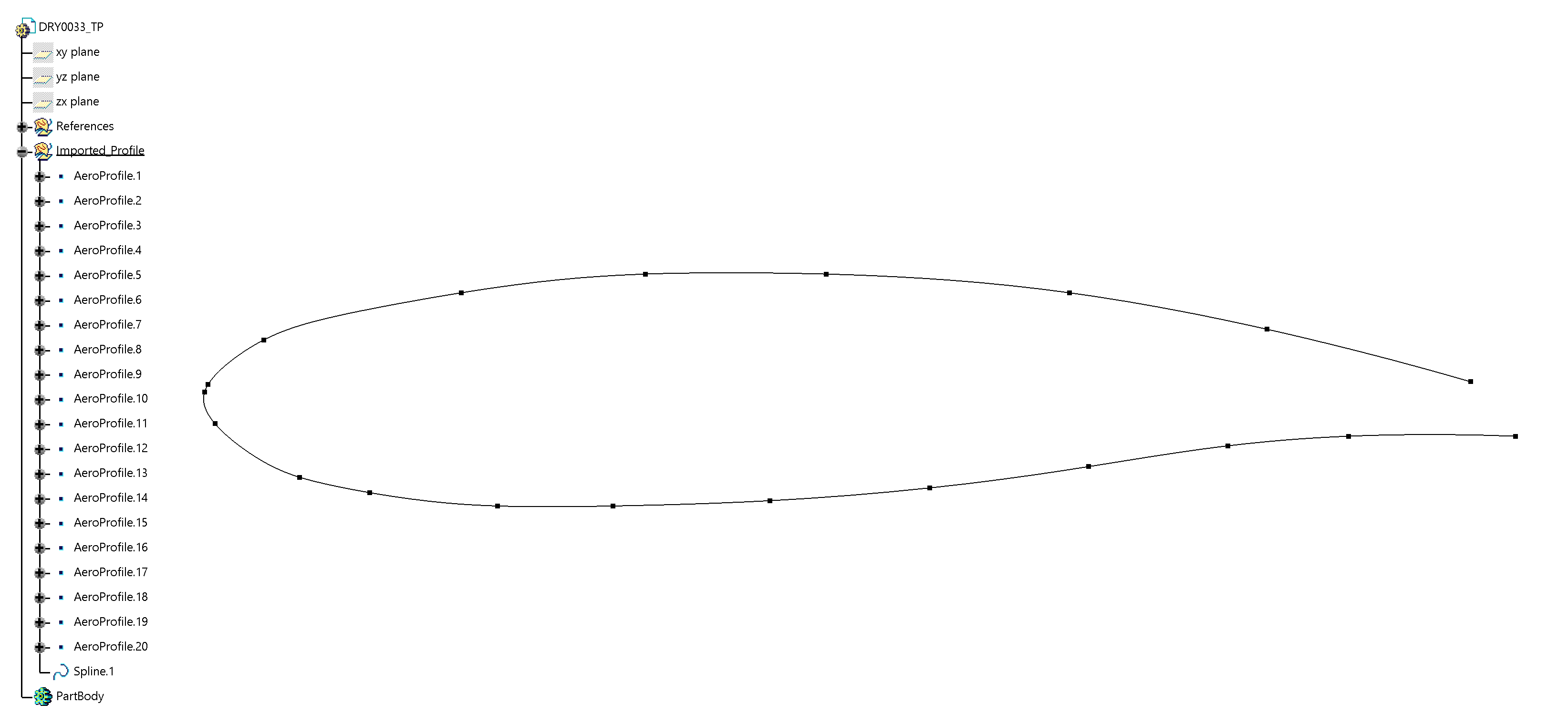
- Imports points from Excel or CSV, feed in a table of coordinates and get real 3D points, ready to use, inside a Geometrical Set of your choice.
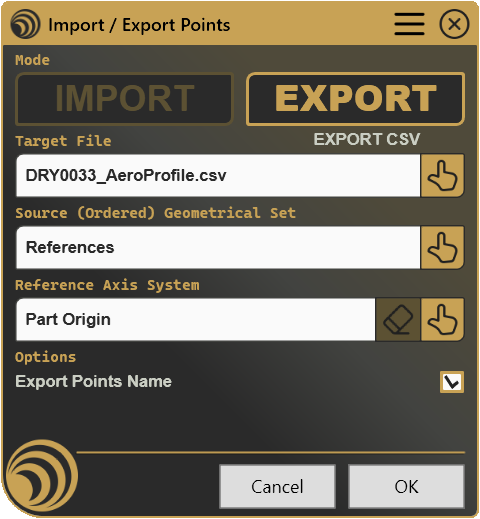
- Exports existing points to Excel or CSV, pull coordinates straight out of a Geometrical Set and into a shareable file, with or without point names.
- Measures relative to any axis system, reference the Part origin by default, or pick any axis system so coordinates line up with the frame your downstream process expects.
- Connects imported points automatically, link a whole batch with a polyline or spline the moment they land in the model, skipping a separate construction step.
- Reads directly from an open workbook, if Excel is already open, grab a range on the spot instead of hunting for a file on disk.
How it works
Select Import or Export, choose the Excel workbook, CSV file, or Geometrical Set you want to work with, and define the reference Axis System if needed. The tool transfers point coordinates automatically, preserving names and reference information. Imported points can optionally be connected into a Polyline or Spline as part of the same operation.
Screenshots
Where it fits
Included as part of the Professional plan. Any workflow that starts or ends with a spreadsheet of coordinates, survey data, scan output, a colleague’s calculation sheet, is a fit, whether that’s a one-off exchange or something you repeat every week.
Full documentation
Get Started
Design better, every day.
Reduce errors, automate repetitive tasks, and free up time to innovate. Contact us for a pilot test on your real project.