Sketch Intersection Reference
Turn any selection of planes into a construction-element sketch reference, intersection and conversion combined in one action.
Referencing a plane inside a sketch usually means two separate commands run back to back: intersect it, then remember to convert the result to construction geometry before it clutters the profile. Skip the sequence, pick your planes, click once, get a clean construction reference every time.
What it does
- Combines two commands into one, intersects your selection and converts the result to a construction element in a single action.
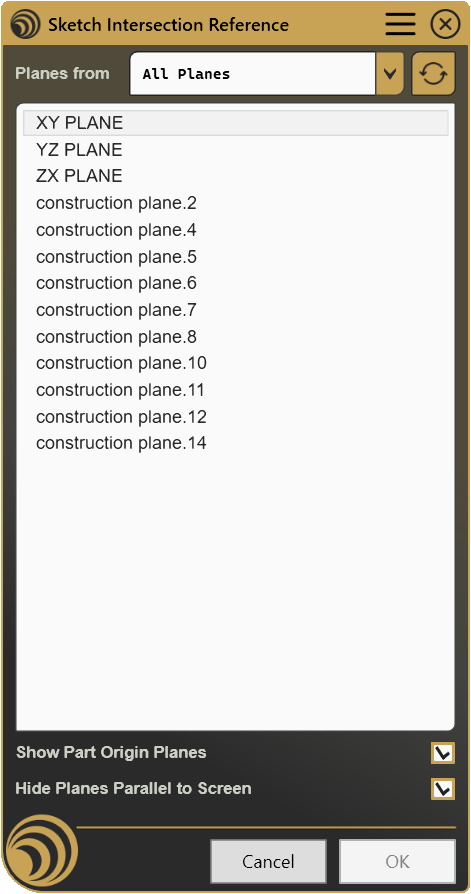
- Works from any plane in the model, part origin planes and any planar Geometrical Set, filtered and grouped for you.
- Picks up your current selection, planes already selected when you launch are carried straight into the tool.
- Selects several planes at once, build a multi-plane reference in one pass instead of repeating the sequence per plane.
- Cuts the clutter automatically, planes that aren’t useful from your current viewpoint can be filtered out of the list on the fly.
How It Works
Launch the tool from an active sketch and select one or more planes to use as references. The planes can come from the Part reference elements or from existing Geometrical Sets. Once confirmed, the tool automatically creates the required intersections and converts them into construction geometry, keeping the sketch clean and ready for further design work.
Screenshots
Where it fits
Included in every plan, starting from Starter. If your sketches lean on external references, a plane, an origin, a face from elsewhere in the part, this is the kind of small, repeated step that adds up over a day of sketching, and it’s the sort of thing worth never doing by hand again.
Full documentation
Get Started
Design better, every day.
Reduce errors, automate repetitive tasks, and free up time to innovate. Contact us for a pilot test on your real project.